Role
Senior Product Designer
Webka · Product & brand · 2018–2019
Webka let anyone broadcast and get paid for it — public streams, private paid rooms, one-to-one sessions. In 2018 paying to join a stream was still an unfamiliar thing to do, which made every screen a piece of explanation as much as a piece of interface.
Role
Senior Product Designer
Layouts
400+, all states
Mobile app
Art-directed, shipped
Investors pitched
3
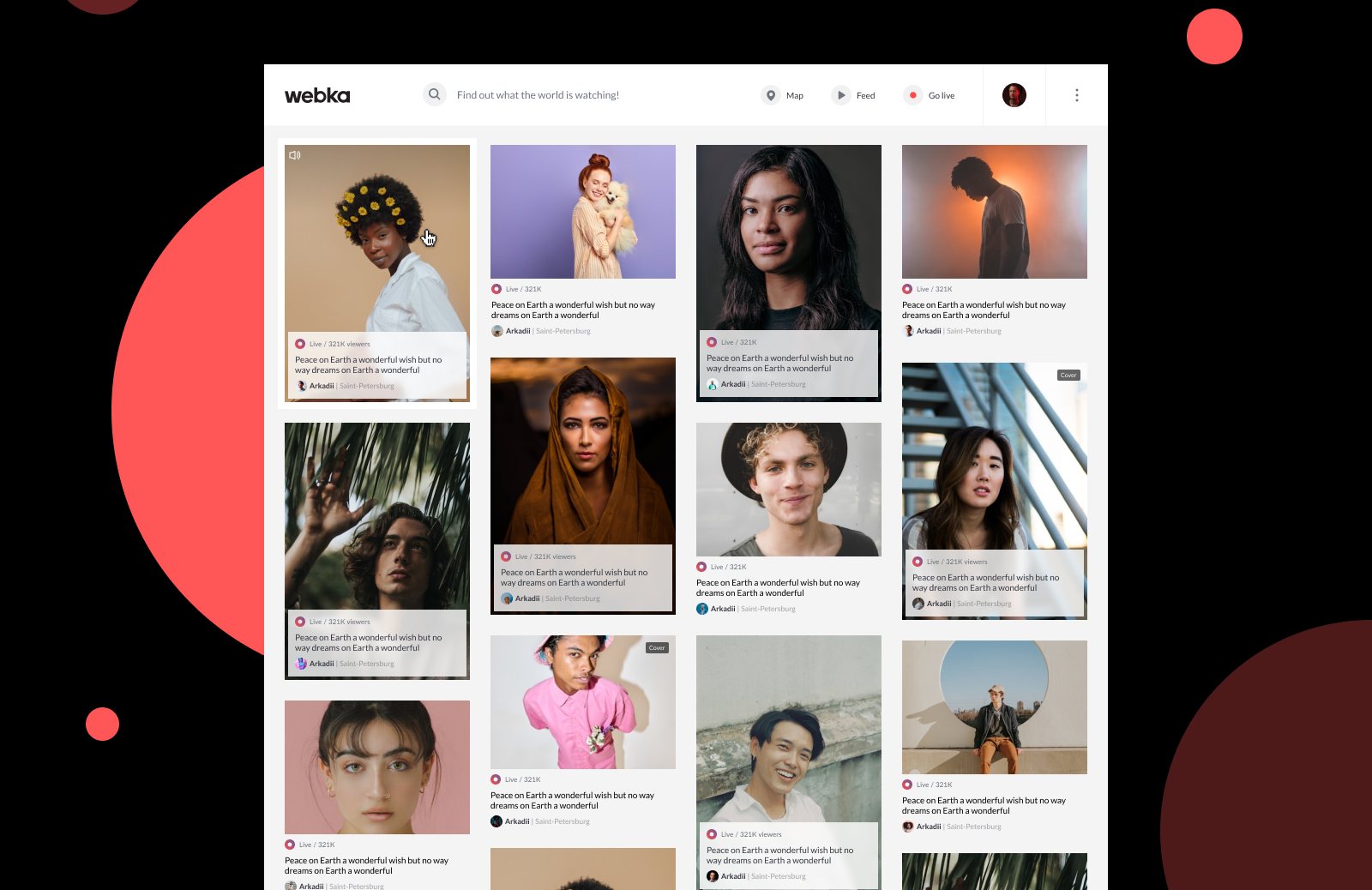
The feed. Everything live right now, with the person — not the thumbnail — as the unit.
When Webka launched there were almost no streaming services here. Instagram had not introduced live yet, Twitch was not widely popular, and YouTube offered very limited monetization. The category was open.
Webka went in with per-second billing and private, personalised streams — which is what set it apart from what already existed.
The core idea was that the stream never leaves the screen. All settings overlay the content, unnecessary elements hide, and the user is not sent to another page without a reason.
Setting up a broadcast — category, date, cover, whether it is closed — all of it on top of your own picture.
During a live broadcast, viewers can request to connect their cameras and join the stream, becoming part of the conversation. They also have the option to invite the streamer into a private one-to-one session.
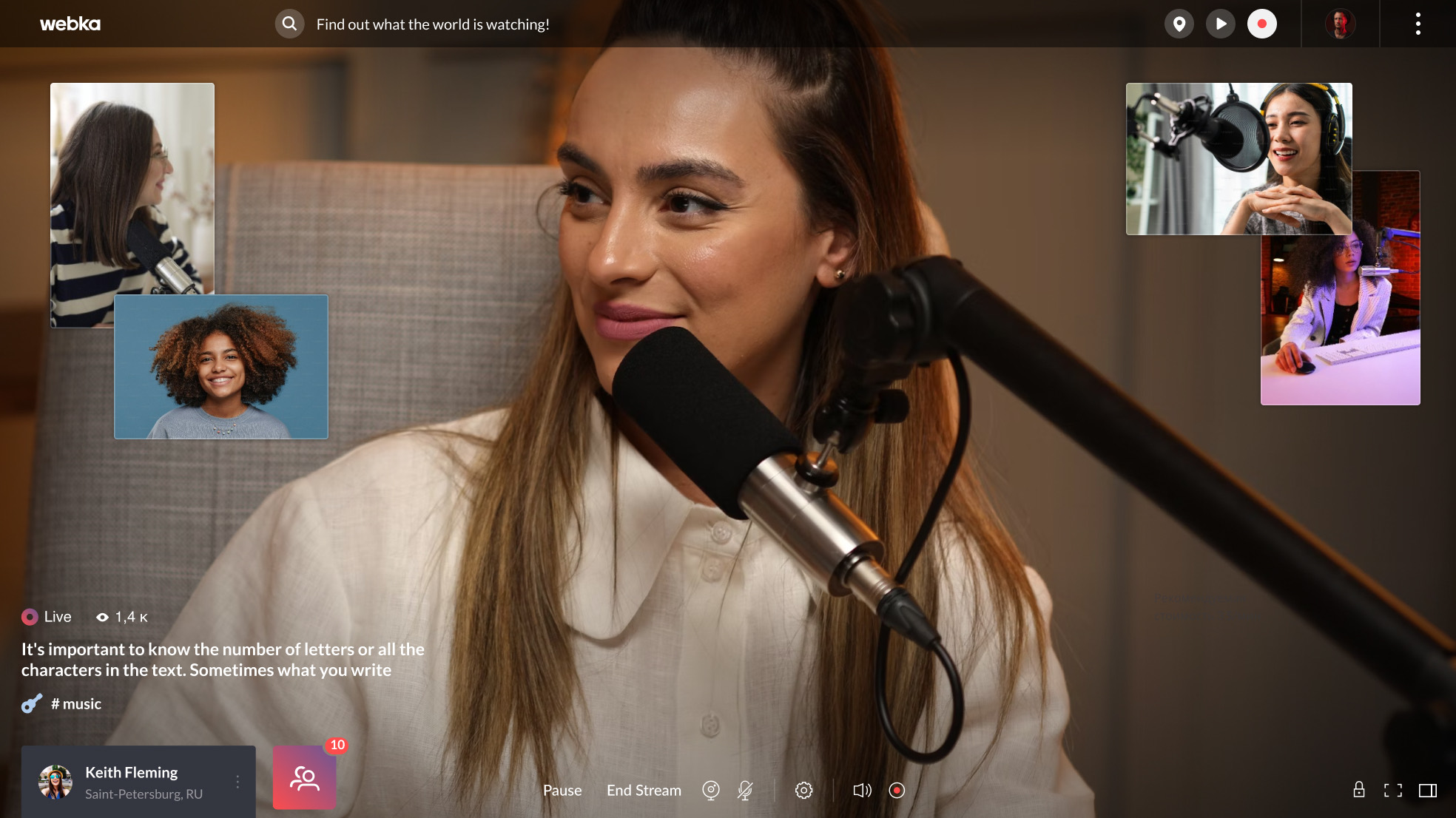
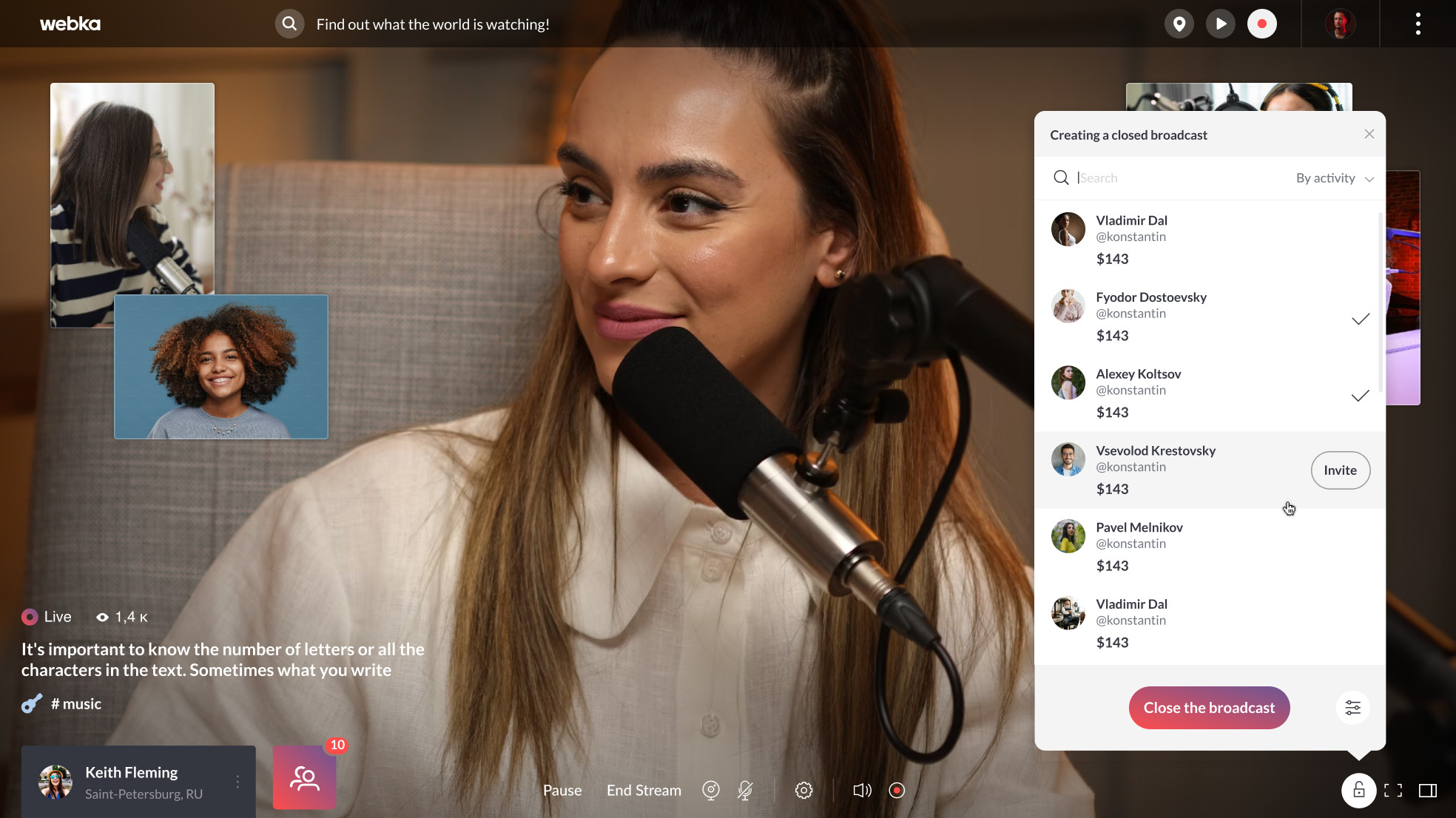
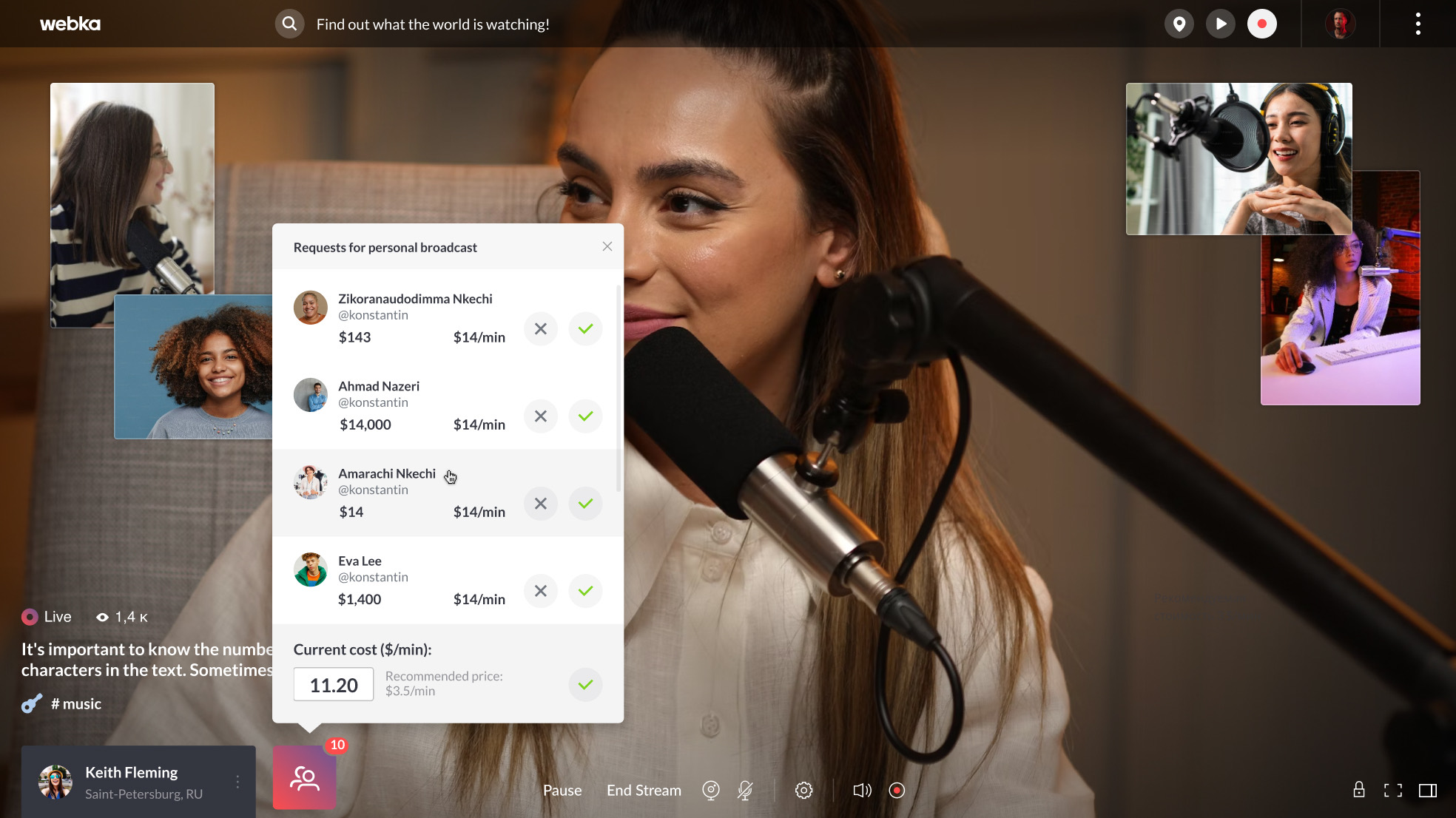
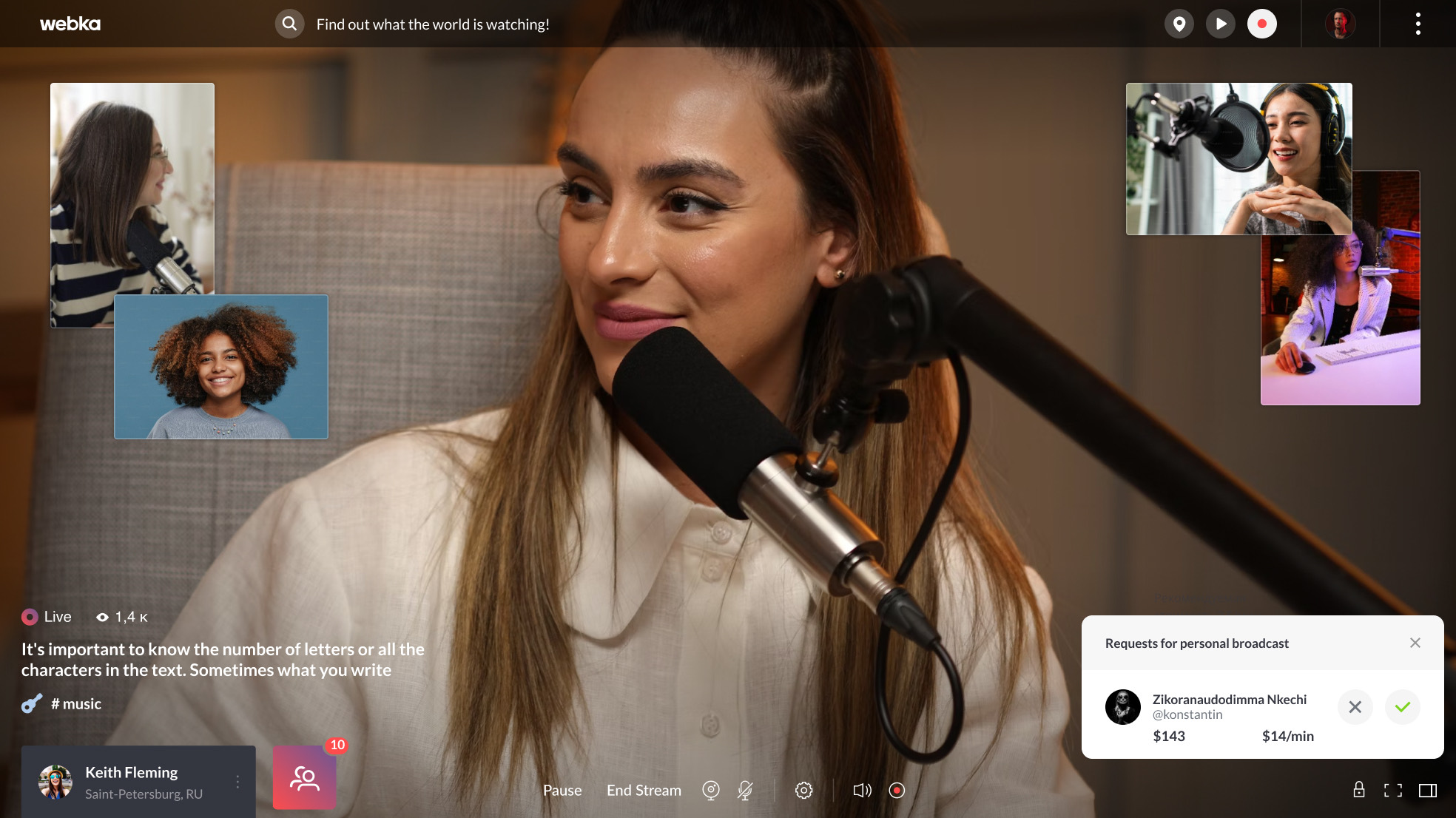
The same screen, four states — everything set on top of the stream.
Chat comes in two formats: bubbles for immersive viewing, a panel for focused interaction. Over 40 chat layouts were designed, covering the states for both the host and the audience.
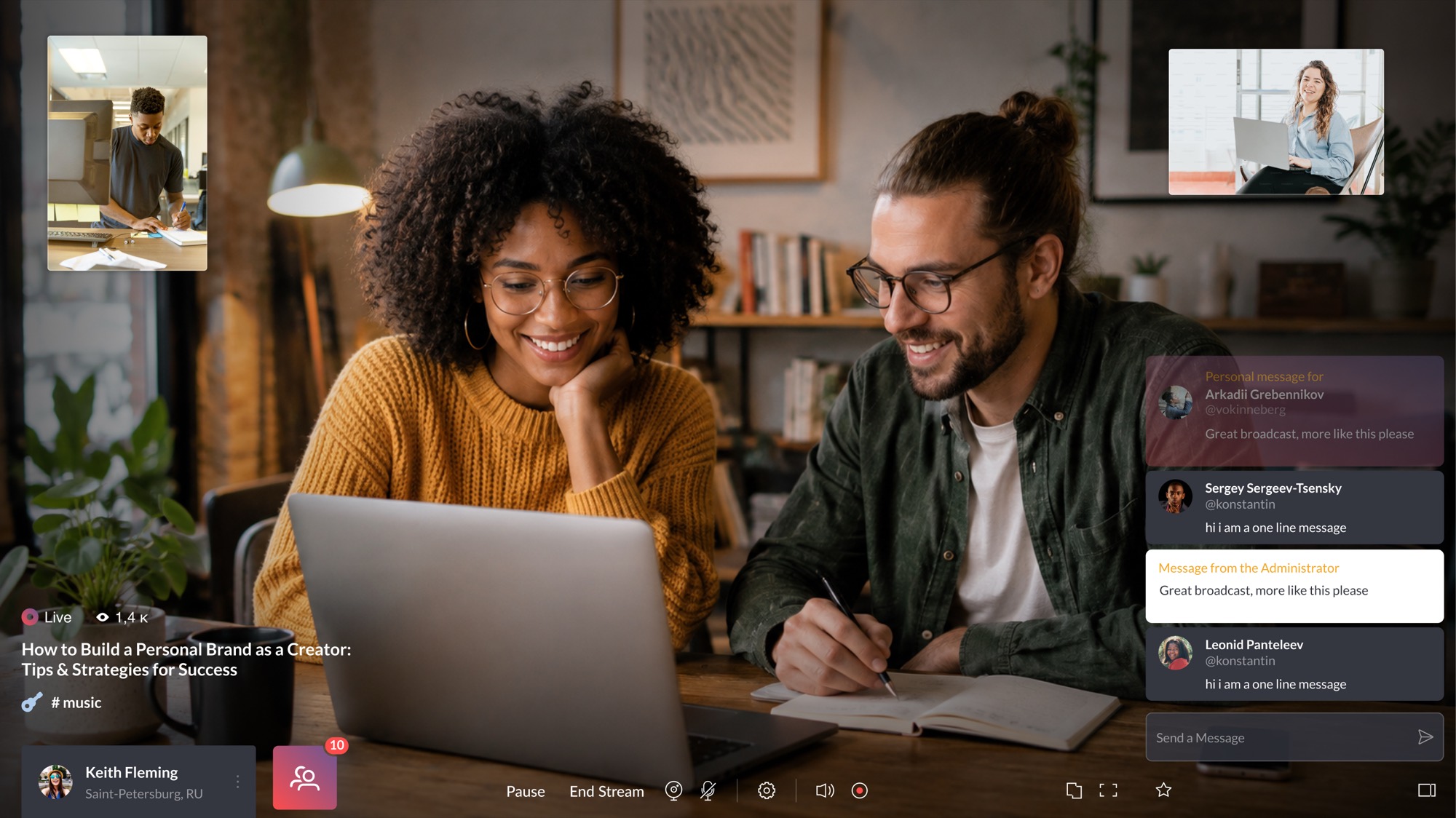
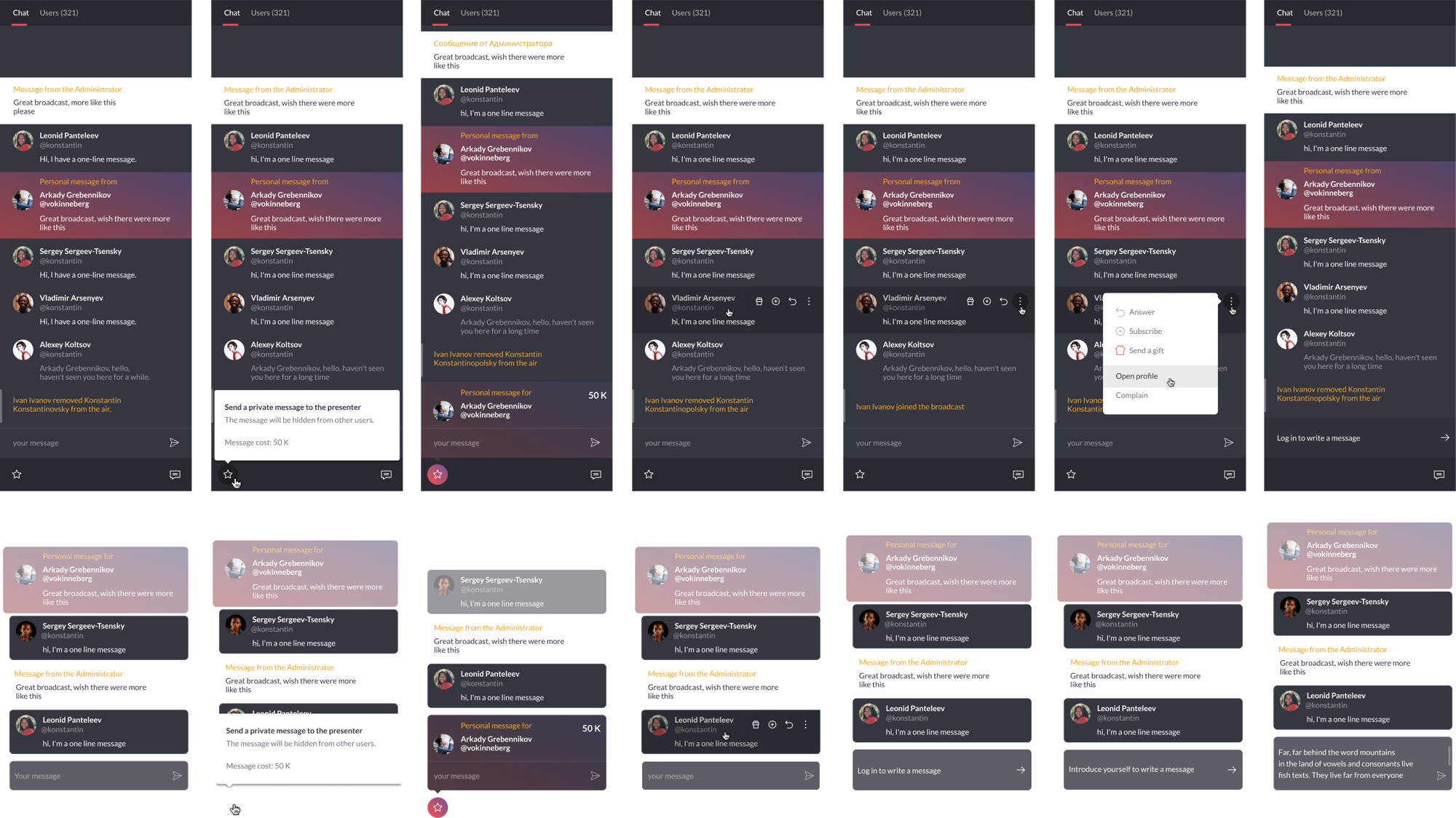
Chat as a viewer sees it, and the set it was built from.
The map displays all Webka users: red markers are those who are live, grey markers those who are online. Clicking a marker reveals that user’s camera and the cameras of everyone in their broadcast, if they are active.
Tap the avatar of someone who is on air and you see them, and everyone else in their broadcast. So you can move around the map, open one after another, and get a sense of a stream without joining it.
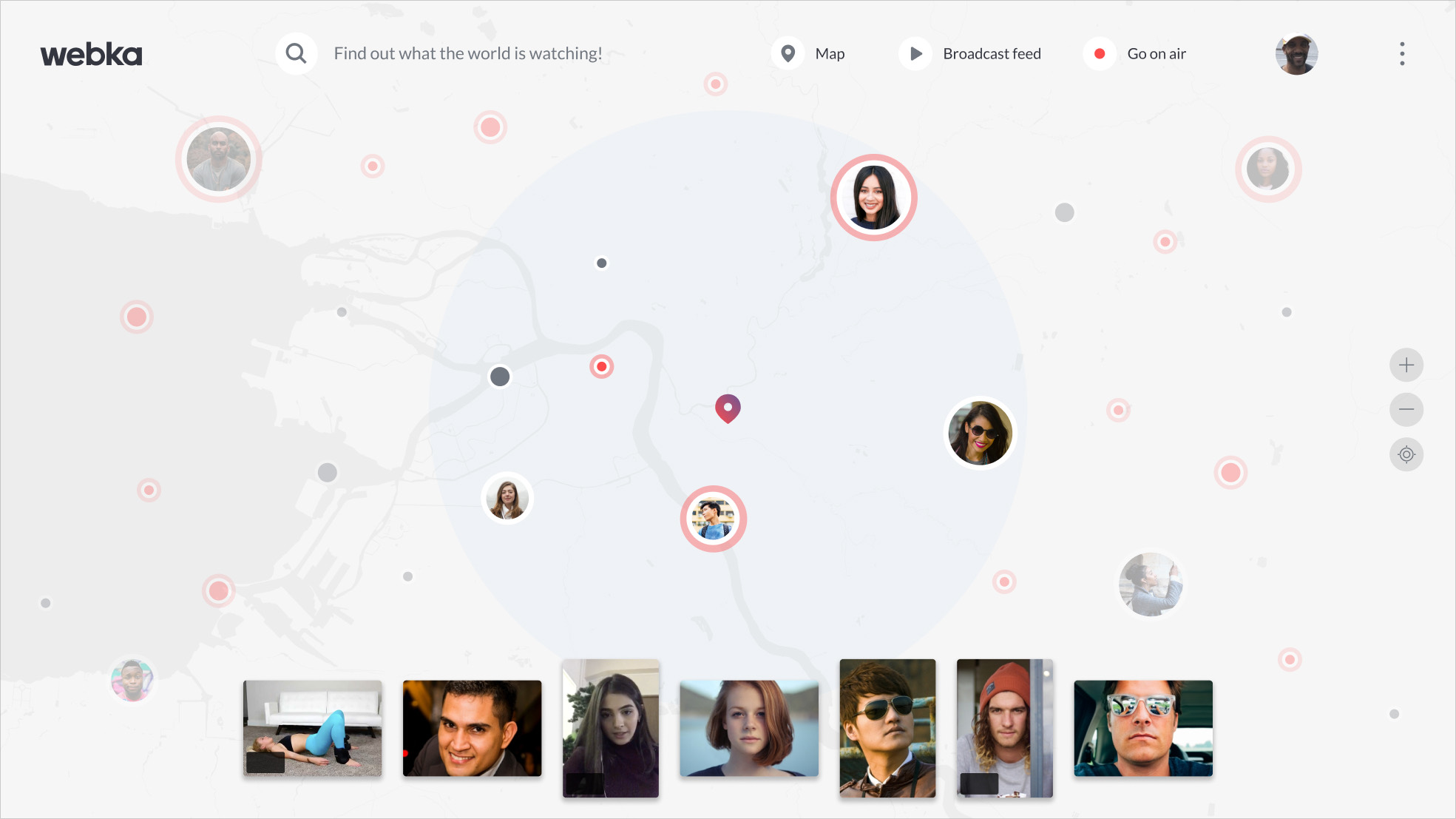
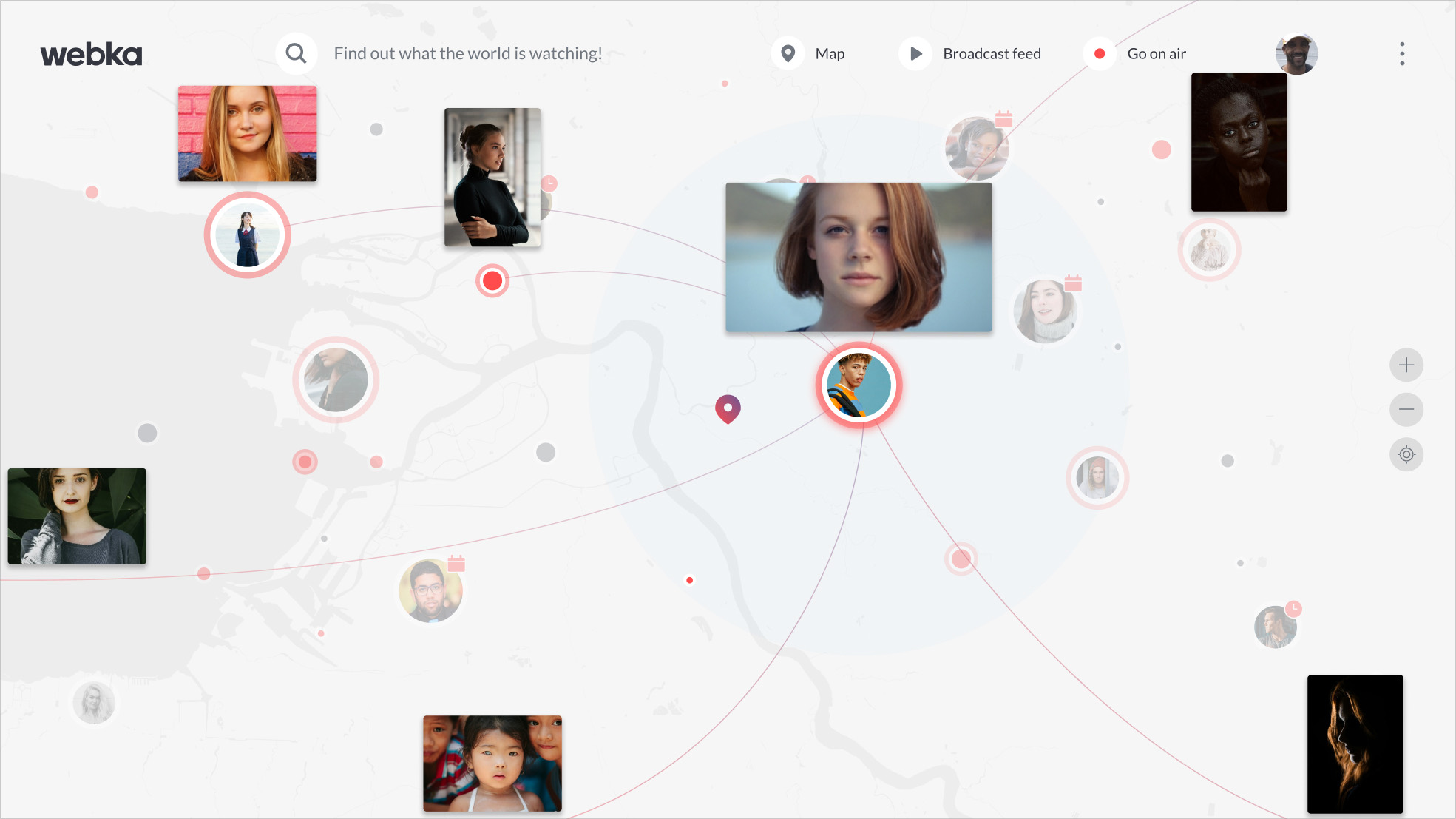
Red is live, grey is online.